2025年4月18日 星期五

2025年4月17日 星期四


這裡當作個人雜記跟讀書心得
最近發生太多事情,但其實有些沒有記錄下來,有點可惜。
第一、就是我他媽克服了中年危機,然後我他媽成長了好多,我看事情的洞見變得更深,我好喜歡這樣的自己。
第二、看完書不寫心得或紀錄真的會忘記,但看書當下的學習感與快樂,仍然是我讀書第一優先;因為我也有本書有寫過心得,但仍然忘記看過,不過這讓我燃起要寫心得與筆記的習慣。應該會放在blogger,而不是個人網站,個人網站是拿來做形象用的。
最後、回來台灣大概兩週了,已經覺得社交能量燃燒殆盡,有點想要回去法國,台北這邊人高密度的交流,既讓人懷念又令我害怕,這種生活模式會令我想躺在床上什麼都不想做,很大的可能是因為很多互動是被迫的,等能自主時間時,就已經無法運作;所以或許我不是有憂鬱症,而是認知能量就那麼低。就像有時候開完線上會,那個時段我就無法工作一樣。
第一、就是我他媽克服了中年危機,然後我他媽成長了好多,我看事情的洞見變得更深,我好喜歡這樣的自己。
第二、看完書不寫心得或紀錄真的會忘記,但看書當下的學習感與快樂,仍然是我讀書第一優先;因為我也有本書有寫過心得,但仍然忘記看過,不過這讓我燃起要寫心得與筆記的習慣。應該會放在blogger,而不是個人網站,個人網站是拿來做形象用的。
最後、回來台灣大概兩週了,已經覺得社交能量燃燒殆盡,有點想要回去法國,台北這邊人高密度的交流,既讓人懷念又令我害怕,這種生活模式會令我想躺在床上什麼都不想做,很大的可能是因為很多互動是被迫的,等能自主時間時,就已經無法運作;所以或許我不是有憂鬱症,而是認知能量就那麼低。就像有時候開完線上會,那個時段我就無法工作一樣。
2020年3月5日 星期四
[Web] Using Code Block in Blogger
I have done some researching on how to use code blocks in blogger and I found this awesome tutorial article in Chinese.


I tried the steps they provide, and it work perfectly.
So I'm just gonna make the steps more clear with some screen shots!
What you should do
- Go to Prismjs.com and download both js and css files of the theme you like
- Paste the content of the css file to: Theme->Customise->Advanced->Add Css->Add custom CSS


- Wrap the content of prism.js with <script></script>
- Paste it to Layout->Sidebar->Add a Gadget->HTML/Javascript


How to use
when you write the article, go to html mode and paste the following dom.
<pre><code class="language-javascript">
<pre><code class="language-javascript">
...
Your code here
...
</code></pre>
it will looks like this:
Enjoy!
it will looks like this:
...
Your code here
...
let helloString='Hello World!';
console.log(helloString);
console.log('Yoda!');
Enjoy!
[Web] Building up Github pages
Before we started...
This content was posted originally in my old GitHub pages blog site, but I've abandoned that site, so I post here again in English.I have to say, this post has saved me once when I tried to made another GitHub pages site for my friend, so I hope you find it useful too.
Who's this article for?
- who...wants to have a blog in GitHub
- who is not familiar with command line, neither wants to use it
- Windows users
- who's never heard of Jekyll、Bash、gem
What happened to me?
I got a laptop and a PC, both are Windows. After I saw some posts about building website with GitHub, I was so excited about it and tried to do it on my own.First on the GitHub Pages tutorial, they suggested using Jekyll; so without a doubt, I went to Jekyll to see what's on there. But with more tutorial steps, there showed up more stuff I'm not familiar with like Ruby or Ubuntu; and with some tools I tried to install, I encountered a few compatibility problems.
Isn't this supposed to be simple and quick? How does this become so complicated and difficult? And I tried to understand what these posts for and why they suggested installing all those tools. Turns out, it's all but for one purpose only:
- Preview the site on locals
So if you're just like me, who wants a simple site and cares not about "previewing" it on your local computer, you're in the right place. We can have a simple but still awesome site without diving too deeply!
How to have GitHub Pages
Steps:
- Register on GitHub
- Choose template from Jekyll(without installing anything)
- Do some trivial settings
I will assume that you already have an account on GitHub, so let's start from step 2!
Choose a template
Go to Jekyll template sites, and choose a one you like, then "fork" it to your GitHub.If it's a zip file, just unzip it and upload it to your branch.
If you're not sure how to do it, see as following:
- Choose a template, then go to its GitHub page( click on Homepage)

- Click "Fork" to have a branch in your own GitHub

- You will see a newly-built project( or we call it repository on GitHub). As mine here is named Alomahuang/hanuman, the name before slash is your GitHub name, and the name after it is the name of the repo of template you just forked.

Basically it's done already!
If you're downloading the zip. Just create a new repository, and I highly suggest you name it like Blog or BlogSite, it's related to your blog url.Settings
Here we will change settings in your repo, and adjust the config file of your repo too.Setting changing
The name you choose will affect what your url looks like, so be aware.- Click on setting in the repo you just created.

- Change the name to what you want( originally mine was named Type-on-Strap, and I changed it to Blog)

Change default branch
Usually there are two mainly-used branches: master and gh-pages. Since we( or I) decide not to preview anything on our(or my) local computer, it doesn't really matter which branch you choose as default branch. But I still make gh-pages as my default.Two places needed to be done:
- One is Settings->Branches

- The other is Settings->Options(scroll to the bottom)

Adjust config
The final and the most step of all is to adjust your config.yml file. Don't mess with it!- Under the right branch of your repo(the branch you choose to be default), click _config_yml file.

- Click on "edit" (top right)

Content needs to be changed:
- replace the content of baseurl to your repo's name. In my case it's Blog, and remember you might need to put slash before.
baseurl: "/Blog"
- replace the content of url to your GitHub(usually it's https://your_account.github.io)
url: "https://alomahuang.github.io"
- Don't forget to commit!

Voila!
Remember go to Settings->Options to check your full url!

2020年3月4日 星期三
[Profolio] Winning List
Things you should know...
This page lists all the items that a user has won.Users can access the page within buttons on Line Official Account channel.
The page is based on a service of Line called LIFF, which is basically an internal browser of Line.
Users in this page are able to see items they have earned with interactive activities.
Items are shown in the list if it's outdated, redeemed, or still active.
I have designed the UI initially and put it in practice, also the back-end behind the page.
Sneak peek

Customer Practice
This is still used by some of my client with some adjustments.
(But currently I have not won anything...)

[Profolio] Interactive Image Panel
Things you should know...
These components are based on Angular 6.After inserting a photo, users can insert some new blocks, which allow them to resize and move freely.
While the block is moved or changed size, the width, height, and positions have to be shown in corresponding areas.
While any block is clicked, the block should be high-lightened and showed its information, which are free to change manually also.
Sneak peek
The UI however wasn't designed by me, I am responsible for all the front-end functions and make it work!

2019年8月13日 星期二
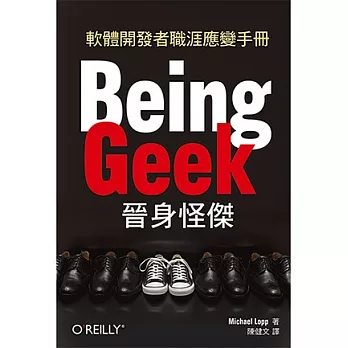
[Book] Being Geek 晉身怪傑
心得
這本書不愧是「Geek」所寫,看完後可以放心地說我不是Geek!因為大部分的內容對我而言都沒有實質幫助,書中許多章節對我來說多是廢話。本書也沒有嚴謹的架構,應是整理過去部落格或是定期文章而成,許多內容頗有「硬」寫之感。以管理群像這個主題(P88)為例,列舉了五種管理人(質問者、修先排序者、隨機者、提問者、敵人),分別對他們的特質、開會習慣做分析,顯然低估了人的豐富性,並且這樣五個的分類也只是依據作者喜好而分。
當然像這樣的窮舉,偶爾還是有些提點作用,只是以整本書與有幫助的部分比例來說,實在懸殊,我會推薦資訊人避開這本書,因為有更多值得參考「軟技巧」類的書,例如:軟技能代碼之外的生存指南 (Soft Skills : The software developer's life manual)或是程序員思維修煉(Pragmatic Thinking and Learning: Refactor Your Wetware ( Pragmatic Programmers ))。
筆記
(以下內容都有改寫)P85 講真話:
是不是我們在跟人對話時,即使很順利,仍忽略掉了什麼,可以談些什麼話題,即使微不足道都能令這段對話更有價值?可能是對同事、朋友或家人(尤其父母)。在停止找藉口後,我們有沒有沒採用那些腦中一閃而過更有價值的話題?而不是說些廢話。每次開口說話時,我們都有機會創造某些東西,要由這個角度切入,而不是誰是誰非那種情緒性的藉口。
P105 嘆息(本書最棒的章節):
當危機出現時,如果缺少溝通的平台,會使困惑誕生於團隊,人們可能:1. 缺乏有力資訊下,腦補資訊空洞,試圖建立看似有結構的東西,但通常只會讓情況更混亂。
2. 雖然成員彼此不停討論危機,但並沒有創造新的內容,只是對危機的反雛;如果只是討論危機如何如何,不過是減輕內心的焦慮,對危機處理沒有任何幫助。
3. 缺乏溝通,所有人又都要知道所有事情,導致大家想:我要知道一切,並且我也有特別的東西想加進去,而且最好能讓我這樣做!
作者提出三種會議解決危機:
1. 與下屬1:1會議:你在擔心什麼?我擔心的是這些。討論...(即使你跟工作夥伴再熟,1:1會議都不該被省略)2. 工作人員會議:我們在何處?我們要做什麼?我們要怎麼做。專案初期重點擺在設計,後期擺在產品品質。
3. "看我們建造了什麼"會議:在週五下午四點舉行,呈現大家進展,讓大家知道即使危機產生,我們也做了這麼多(產生正面回饋)。
如果這類會議能定期開,有以下好處:
1. 讓所有人知道溝通隨時存在,建立信任2. 讓創意得以在非會議期間自由發揮(不會被干擾)
這樣的概念其實跟Scrum很像,但Scrum要運行的順,實在很吃公司文化與產品內容。
P128 關於信任課題:
即使與人稱兄道弟,都該跟工作夥伴保持一個適當的距離,該成為別人信任的夥伴,並且贏得尊重,目標是建立一套關係,彼此信任對方的可靠、真誠、能力與堅強。作者透過一種BAB(後巷橋牌)的牌類遊戲建立工作夥伴彼此的信任,創造一種安全的環境,即使在尚未合作狀況下,彼此產生信任關係。
訂閱:
意見 (Atom)